Overview#
The RosterSure Dashboard is your “Single Source of Truth” for subcontractor risk. It aggregates data from the WSIB (Workplace Safety and Insurance Board) and the Certificates of Insurance (COI) you collect.
Our system prioritizes risk. If a subcontractor has multiple issues (e.g., Stale WSIB and an Expiring COI), we show the Highest Priority issue first to protect you from liability.
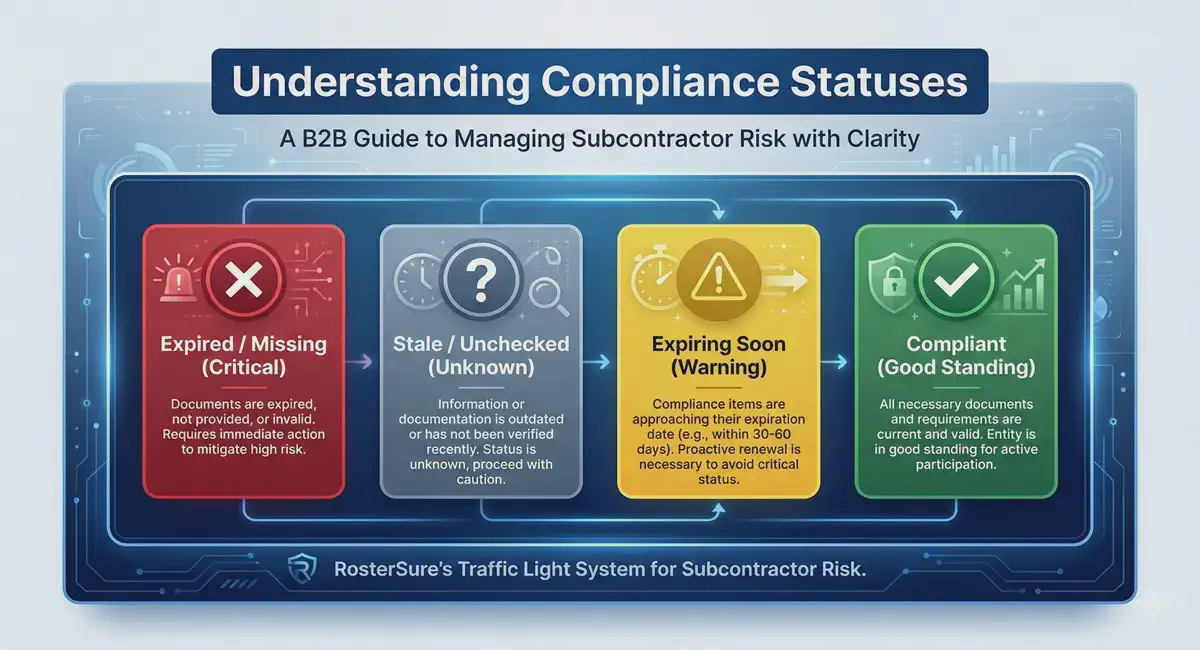
The “Traffic Light” System#
We evaluate statuses in a strict priority order: Red (Stop) > Grey (Unknown) > Yellow (Caution) > Green (Go).
| Status Card | Colour | Meaning | Required Action |
|---|---|---|---|
| Expired / Missing | 🔴 Red | Critical Risk. The subcontractor is not compliant. | Stop Work. Request valid insurance or clearance immediately. |
| Stale / Unchecked | ⚪ Grey | Verification Needed. Data is missing, old, or waiting for review. | Verify. Refresh WSIB data or review pending COI uploads. |
| Expiring Soon | 🟡 Yellow | Warning. Compliant now, but coverage ends within 30 days. | Send Reminder. Notify the sub to renew their documents. |
| Compliant | 🟢 Green | Good Standing. All documents are valid and up to date. | None. Safe to work. |
Detailed Status Logic#
Below are the specific rules that trigger each status.
🔴 1. Expired / Missing (Critical)#
A “Red” status overrides all other warnings. You will see this if:
- WSIB is Invalid: The account status is “Ineligible” or the specific clearance certificate date is in the past.
- COI is Expired: The insurance policy expiration date has passed.
- COI is Missing: No document has been uploaded yet.
- COI is Rejected: An Admin reviewed the document and marked it as invalid.
⚪ 2. Stale / Unchecked (Verification Needed)#
We cannot verify compliance because the data is too old or hasn’t been looked at. This overrides “Expiring Soon” warnings.
- WSIB is Stale: The last check was performed > 30 days ago.
- Note: RosterSure automatically refreshes eligible WSIB accounts nightly. If you see this status, it means the automated refresh failed or could not find the account (e.g., the WSIB website was down or the number has changed). You must click “Refresh Data” manually to confirm they are still in good standing.
- WSIB is Unchecked: A WSIB account number has never been entered.
- Pending Review: A document has been uploaded but is waiting for an Admin to click “Approve.”
🟡 3. Expiring Soon (Warning)#
The subcontractor is compliant right now, but you need to take action soon.
- WSIB Expiring: The current clearance certificate expires in ≤ 30 days.
- COI Expiring: The insurance policy expires in ≤ 30 days.
🟢 4. Compliant (Safe)#
Everything is valid, approved, and fresh.
- WSIB: Checked within the last 30 days AND valid for at least 30 more days.
- COI: Active, Approved, and valid for at least 30 more days.
Frequently Asked Questions#
Why does WSIB say “Eligible” but the badge says “Expired”?#
The text “Eligible for clearance certificates” comes directly from the WSIB database and reflects their general account standing (e.g., they pay their premiums).
However, RosterSure checks dates. If the specific certificate associated with that clearance has expired (e.g., the date passed yesterday), we mark it as Expired to protect you from liability, even if the WSIB account is technically still open.
Why did a “Compliant” subcontractor suddenly change to “Stale”?#
WSIB clearance certificates are snapshots in time. A subcontractor can lose their good standing for official reasons (missed premiums, failure to report earnings) at any moment.
To ensure you aren’t relying on outdated data, RosterSure runs a nightly automation to refresh any WSIB record older than 30 days. If this automation fails (e.g., due to a WSIB outage) or cannot confirm the account status, we mark the data as “Stale” to prompt you to perform a manual check.
Does “Pending Review” mean they are compliant?#
No. Pending Review is grouped under the Grey category. Until an Admin reviews and approves the document, the system treats the compliance status as “Unknown.”